
Hello Friends! You’re scrolling on your phone, thinking about picking up coding skills, but the idea of sitting at a desk with a laptop feels like a drag. What if you could learn right from your mobile? That’s where mobile coding apps come in. These tools are built for people like you – aspiring coders who want to squeeze in lessons during a commute or a quick break. In 2025, with tech jobs booming, getting started on your phone is smarter than ever. No fancy setup needed, just your device and some drive.
I’ve been down this road myself. A couple of years back, I was juggling a day job and wanted to learn Python without committing to a full course. I grabbed a few mobile coding apps and chipped away at it during lunch. It wasn’t magic, but it got me building simple scripts in weeks. If you’re worried about where to start or if these apps are any good, stick with me. I’ll walk you through the top ones, share what works, and help you pick the right fit for learning on the go.
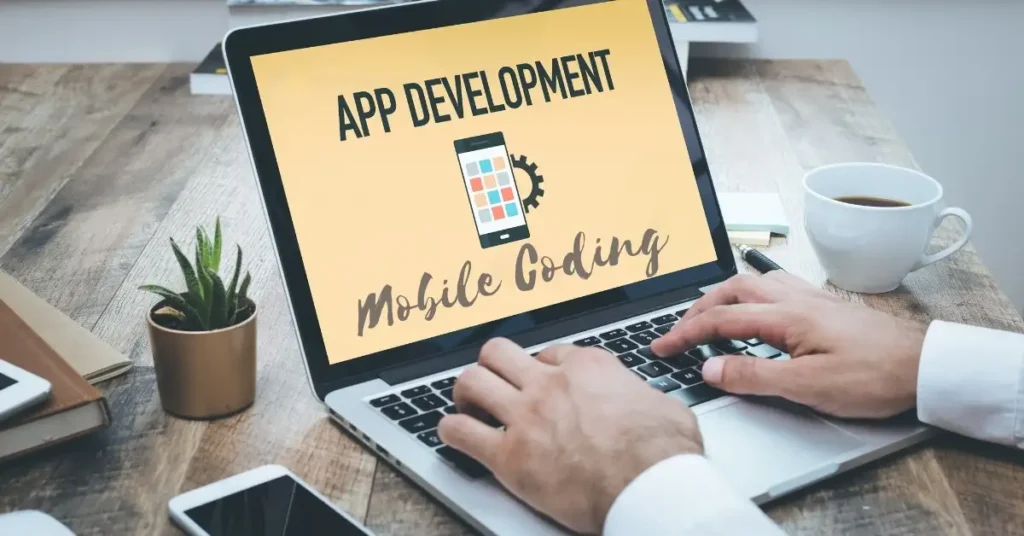
Why Bother with Mobile Coding Apps in 2025?
Look, coding isn’t just for tech whizzes anymore. With AI and apps everywhere, basic skills can open doors to freelance gigs or even a career switch. But who has time for traditional classes? Mobile coding apps let you learn in bites – five minutes here, ten there. They’re interactive, often free to start, and track your progress so you don’t lose momentum.
The search intent here is clear: you’re an aspiring coder eyeing mobile learning because it’s convenient. These apps cover languages like Python, JavaScript, and HTML, which are hot in 2025. Plus, many offer certificates to beef up your CV. Think about it – my mate Raj started with one app, built a portfolio, and landed a remote dev role paying $50k a year. It’s doable if you stay consistent.
But not all apps are equal. Some shine for beginners, others for specific languages. I’ll break down the top 10 mobile coding apps, with details on features, costs, and links. Each one’s got a mix of lessons, quizzes, and projects to keep things real.
Top 10 Mobile Coding Apps for Aspiring Coders
Here’s the list. I selected these based on user reviews, updates in 2025, and how well they teach on mobile devices. Prices are in dollars, and I’ve included store links for easy downloads. Let’s get into it.
1. SoloLearn: Your Go-To for Bite-Sized Lessons

SoloLearn is one of the best mobile coding apps if you’re starting from scratch. It’s free to download and offers courses in over 20 languages, like Python, Java, and SQL. The app uses short lessons with quizzes and code challenges to reinforce what you learn.
What sets it apart? The community. You can compete on leaderboards or discuss code in forums. I remember struggling with loops in JavaScript – posted a question, and got helpful tips within hours. It’s available on Android and iOS, with a pro version at $4.99/month for ad-free access and extra challenges.
Key Features:
- An interactive code editor to test snippets on the spot.
- Daily goals to build habits.
- Certificates upon completion – great for LinkedIn.
Pros and Cons:
- Pros: Free core content, huge community, offline mode.
- Cons: Ads in the free version, some advanced topics feel light.
Download: Google Play or App Store.
If you’re into web dev, SoloLearn’s HTML/CSS path is solid. Example: Build a simple webpage project by lesson 5.
2. Mimo: Gamified Learning That Keeps You Hooked
Mimo turns coding into a game, which is perfect for keeping motivation high. This mobile coding app offers paths in Python, JavaScript, and more, with daily streaks and rewards. In 2025, they’ll have added AI feedback on your code, spotting errors fast.
I tried it when I wanted to learn Swift for iOS apps. The short sessions fit my schedule, and the projects – like coding a basic calculator – made concepts stick. Free to start, but premium is $9.99/month for unlimited access and projects.
Key Features:
- Personalized learning paths based on your goals.
- Real-world projects, like building a chat bot.
- Progress tracking with badges.
Pros and Cons:
- Pros: Fun interface, beginner-friendly, works offline.
- Cons: Premium needed for deeper content, can feel repetitive.
Download: Google Play or App Store.
Compare it to Duolingo – Mimo’s like that, but for code. For instance, their Java path helped a friend code her first Android widget.
3. Grasshopper: Google’s Free Intro to JavaScript

Grasshopper, from Google, is a free mobile coding app focused on JavaScript. It’s all puzzles and games, no fluff. Updated in 2025 with more visual coding blocks, it’s ideal for total newbies.
My story: I recommended it to my sister, who had zero experience. She finished the basics in a month and started tweaking web pages. No costs at all – fully free.
Key Features:
- Puzzle-based learning for quick wins.
- Instant feedback on code.
- Offline support for travel.
Pros and Cons:
- Pros: Completely free, simple UI, great for fundamentals.
- Cons: Only JavaScript, no advanced levels.
Download: Google Play or App Store.
It’s lighter than full courses. Example: Solve a drawing puzzle to learn loops – fun and effective.
4. Codecademy Go: Practice On the Move

Codecademy Go is the mobile companion to their site, letting you review lessons and code on your phone. In 2025, it covers Python, SQL, and web dev, with flashcards and quizzes.
I used it to brush up on data science during waits. The app syncs with your web account, so progress carries over. Free basic access, but full courses require $19.99/month premium.
Key Features:
- Daily practice streaks.
- Code challenges with real scenarios.
- Skill paths for careers like a developer.
Pros and Cons:
- Pros: Integrates with desktop, high-quality content.
- Cons: Limited without a premium, not fully standalone.
Download: Google Play or App Store.
Compared to SoloLearn, it’s more structured. Example: Quiz on Python lists helped me debug faster.
5. Programming Hub: All-in-One Language Hub

Programming Hub boasts over 5,000 examples across 35+ languages. This mobile coding app uses interactive lessons and compilers to run code live.
A buddy of mine learned C++ here for game dev. The offline compiler is a game-changer. Free with ads, pro at $6.99/month removes them and adds certificates.
Key Features:
- Built-in compiler for testing code.
- Examples and quizzes for each topic.
- Career tracks.
Pros and Cons:
- Pros: Vast library, offline compiler.
- Cons: Ads are heavy in the free tier.
Download: Google Play or App Store.
It’s broader than Grasshopper. For example, try their Java compiler to build a simple app.
6. Enki: Daily Workouts for Coders
Enki offers “workouts” – short daily sessions in JavaScript, Python, and Git. In 2025, AI personalization suggests what to learn next.
I did their Git track to manage projects better. It’s like a gym for your brain. Free basics, premium $7.99/month for full access.
Key Features:
- Daily reminders and streaks.
- Peer reviews on code.
- Skill assessments.
Pros and Cons:
- Pros: Habit-building, community feedback.
- Cons: Premium for advanced stuff.
Download: Google Play or App Store.
Unlike Mimo, it’s more workout-focused. Example: A Git workshop fixed my branching issues.
7. Khan Academy: Free Broad Education

Khan Academy’s app includes coding sections on JavaScript, HTML, and SQL. Videos and exercises make it easy.
I used it for SQL basics before a job interview. All free, no catches.
Key Features:
- Video tutorials.
- Interactive exercises.
- Progress dashboard.
Pros and Cons:
- Pros: Free, trusted content.
- Cons: Not a code-specific app.
Download: Google Play or App Store.
Broader than others – great supplement.
8. Encode: Hands-On Challenges

Encode teaches HTML, CSS, JavaScript, and Python through challenges. Updated 2025 with more projects.
Helped me with web basics. Free with in-app purchases $4.99 for extras.
Key Features:
- Code editor in-app.
- Challenges with hints.
- Offline mode.
Pros and Cons:
- Pros: Practical, affordable.
- Cons: Limited languages.
Download: Google Play or App Store.
Compared to Grasshopper: More languages.
9. DataCamp: Data Science Focus
DataCamp specializes in Python, R, and SQL for data skills. Interactive and project-based.
I learned R here for analytics. Free intro, $25/month premium.
Key Features:
- Projects like data viz.
- Skill tracks.
- Mobile coding environment.
Pros and Cons:
- Pros: Data-focused, real datasets.
- Cons: Niche, pricier.
Download: Google Play or App Store.
For data lovers, beats general apps.
10. Swift Playgrounds: iOS Dev Starter
Apple’s Swift Playgrounds teaches Swift via puzzles. 2025 updates add AR projects.
Great for iOS aspiring devs. Free on iOS only.
Key Features:
- Puzzle solving with code.
- Build apps in-app.
- Apple integration.
Pros and Cons:
- Pros: Free, native to iOS.
- Cons: iOS-only.
Download: App Store.
Android alternative: Use Mimo for Swift.
Comparing Mobile Coding Apps: Which Fits You?
Choosing the right mobile coding app depends on your goals. Here’s a quick table:
| App | Best For | Price (USD) | Platforms | Key Language |
|---|---|---|---|---|
| SoloLearn | Beginners, Community | Free/$4.99 | Both | Multi |
| Mimo | Gamified Learning | Free/$9.99 | Both | Python, JS |
| Grasshopper | JS Basics | Free | Both | JavaScript |
| Codecademy Go | Practice | Free/$19.99 | Both | Python, SQL |
| Programming Hub | Compilers | Free/$6.99 | Both | Multi |
| Enki | Daily Habits | Free/$7.99 | Both | JS, Python |
| Khan Academy | Free Videos | Free | Both | JS, HTML |
| Encode | Challenges | Free/$4.99 | Both | HTML, Python |
| DataCamp | Data Science | Free/$25 | Both | Python, R |
| Swift Playgrounds | iOS Dev | Free | iOS | Swift |
My take: For free starters, Grasshopper or Khan. For depth, Mimo or DataCamp. SoloLearn wins on variety.
Tips to Get the Most from Mobile Coding Apps
To turn learning into skills, here’s what works:
- Set a routine: 15 minutes daily beats cramming. Use app reminders.
- Build projects: Don’t just read – code a to-do app in Python.
- Join communities: Forums in SoloLearn or Reddit for help.
- Track progress: Use streaks to stay motivated.
- Supplement with free tools: GitHub mobile app for version control (GitHub Mobile). Or use VS Code online for bigger edits.
Example: I built a weather app using Mimo’s Python path and GitHub to share it.
Free Tools to Boost Your Coding Journey
Beyond apps, grab these:
- GitHub: Free repo hosting. github.com.
- Replit: Online IDE, free tier. replit.com.
- Stack Overflow: Answers to questions. stackoverflow.com.
FAQs on Mobile Coding Apps
1. Are mobile coding apps good for complete beginners?
Yes, apps like Grasshopper start simple. No prior knowledge needed.
2. Can I get a job with skills from these apps?
They build foundations. Add projects and certificates – my friend did and got hired.
3. What’s the best free mobile coding app?
Grasshopper for JS, or SoloLearn for variety.
4. Do these apps work offline?
Most do, like Mimo and Encode.
5. How much time to learn the basics?
2-4 weeks with daily practice.
Wrapping Up: Start Coding on Mobile Today
There you have it – the best mobile coding apps to get you coding in 2025. Pick one, dive in, and build momentum. Whether it’s Python on Mimo or JS on Grasshopper, consistency wins. You’ve got the tools; now make it happen.
Know More: For more tech tips, check daytalk.in.
