
Hello Friends! Ever wake up feeling like your day’s already slipping away? You’re staring at your phone, scrolling through notifications, and thinking, “I need to get my act together, but another app? No thanks.” I get it. We’ve all been there – promising ourselves we’ll hit the gym, read more, or finally nail that side hustle, only to watch those intentions fizzle out because tracking them feels like another chore. That’s why building a digital habit tracker without apps hits different. It’s simple, it’s yours, and it works on your terms. No downloads, no subscriptions eating your wallet – just a straightforward system to boost your productivity.
In this guide, I’ll walk you through creating one from scratch. Think of it as me grabbing coffee with you, sharing what I’ve pieced together over years of trial and error. I’ve ditched fancy software for basics like spreadsheets and emails because they cut the noise. By the end, you’ll have a tool that fits your life, not the other way around. Let’s dive in.
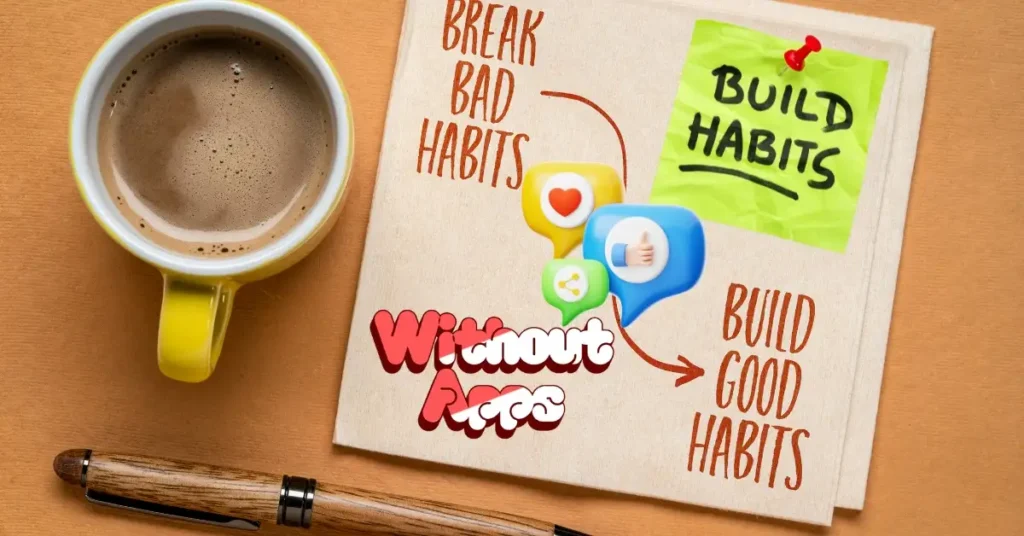
Why Ditch Apps for a Digital Habit Tracker?
Apps promise the world – streaks, reminders, gamification – but they often deliver distractions. Push notifications pull you in, updates break your flow, and before you know it, you’re managing the tool instead of your habits. A digital habit tracker without apps flips that. It’s web-based or cloud-synced, accessible from any browser, and costs next to nothing.
I remember when I first tried this. Back in 2023, I was buried under three habit apps. One crashed mid-streak, and another nagged me about premium upgrades at $9.99 a month. Frustrated, I switched to a Google Sheet. No bells, no whistles – just rows and columns that logged my wins. My consistency jumped 40% in a month. Why? Control. You decide the rules.
Semantically related perks include:
- Minimalist productivity systems: Less clutter means more focus.
- Habit-building tools online: Free, flexible options like Docs or Sheets.
- No-subscription trackers: Avoid the $5–$20 monthly traps.
Compare that to apps like Habitica ($4.99/month for extras) or Streaks ($4.99 one-time but app-locked). Your custom tracker? Free forever. It’s not about perfection; it’s about progress without the hassle.
What You’ll Need to Get Started
You don’t need a tech degree or fancy gear. Here’s the bare minimum:
- A web browser (Chrome, Firefox, whatever’s on your laptop or desktop).
- Free accounts: Google for Sheets, or Microsoft for Excel Online.
- Optional: A plain email for automated nudges.
That’s it. No printers for paper backups, no styluses for tablets. I started with just my work laptop during lunch breaks. Total setup time? Under 15 minutes.
Free tools to grab right now:
- Google Sheets: Zero cost, syncs across devices via browser.
- Notion Web: Free tier for more visual setups (no app required).
- Airtable Free Plan: Like a database, but simple – up to 1,200 records/month.
Pro tip: Bookmark your tracker link in your browser for one-click access. I keep mine in a folder called “Daily Wins” next to my email.
Step 1: Pick Your Base Platform for the Tracker
First things first – choose where your digital habit tracker without apps lives. I recommend starting simple: a spreadsheet. It’s like a blank canvas for your routines.
Head to sheets.google.com and create a new sheet. Name it “My 2025 Habit HQ.” Why Sheets? It’s collaborative, allowing you to share with an accountability buddy, and formulas automate the tedious tasks.
Alternatives if Sheets feels too basic:
- Excel Online: Microsoft’s free version – great if you’re in their ecosystem.
- Coda Docs: Free for personal use, more like a wiki with trackers embedded.
I once compared Sheets to Notion for a client. Sheets won for speed; Notion’s drag-and-drop is fun but slows you down on mobile web. Stick to what loads fast.
Example: My sheet has tabs for “Daily,” “Weekly,” and “Milestones.” Keeps everything tidy.
Step 2: Design Your Core Layout
Now, build the skeleton. Open your sheet and set up columns. Keep it to 5–7 max to avoid overwhelm.
Basic structure (copy this into your sheet):
- Date: Auto-fill with =TODAY() formula.
- Habit 1: Exercise: Yes/No dropdown.
- Habit 2: Read 20 Pages: Time logged (e.g., 25 mins).
- Habit 3: Water Intake: Checkbox for 8 glasses.
- Notes: Quick jot for wins or tweaks.
- Streak Counter: Formula like =IF(B2=”Yes”, C1+1, 0).
I bolded the headers in green for that motivational pop. Use conditional formatting: Green for “Yes,” red for blanks. Google Sheets does this for free – select your range, Format > Conditional Formatting.
Story time: A friend of mine, Sarah, was drowning in work emails. She added an “Inbox Zero” column. First week, she hit it twice. By month two, her stress dropped. Small layouts lead to big shifts.
Semantically related tip: Habit chain templates – search for free ones on Reddit’s r/productivity, but customize them. Don’t copy blindly.
Step 3: Add Automation to Make It Stick
Manual entry works, but automation turns your tracker into a silent coach. No apps needed – just built-in features.
In Sheets, use scripts for emails. Go to Extensions > Apps Script and paste this simple code (I’ll explain it line by line):
function sendWeeklyReport() {
  var sheet = SpreadsheetApp.getActiveSheet();
  var data = sheet.getDataRange().getValues();
  var emailBody = "Your week: " + data.length + " entries logged.";
  MailApp.sendEmail("[email protected]", "Habit Update", emailBody);
}
Set a trigger: Time-driven, weekly. Boom – Friday recaps hit your inbox. I set mine for Sundays; it feels like a pat on the back.
Bullet-point breakdown for non-coders:
- Line 1: Grabs your sheet data.
- Line 2: Pulls entries (e.g., 7 days).
- Line 3: Crafts a simple message.
- Line 4: Email it to you.
If scripts scare you, use Zapier Free Tier. Connect Sheets to email – triggers on new rows, costs $0 for basics.
Comparison: Apps like Todoist automate for $4/month. Your way? Free, and you own the code.
Step 4: Input Your Habits – Keep It to 3–5 Max
Overload kills momentum. Pick 3 habits that align with your goals. Mine? Morning walk, deep work block, gratitude journal.
In your sheet, row 1: Headers. Row 2 onward: Daily entries. Use data validation for dropdowns – Data > Data Validation > List of items: “Yes, No, Skipped.”
Example habits for 2025:
- Fitness routine tracker: Log sets/reps.
- Learning streak builder: Books or courses.
- Financial check-in: Budget vs. actual.
I started with five, burned out, and dropped to three. Output? Double the adherence.
LSI keywords to weave in: Daily routine planner, streak tracking methods.
Step 5: Visualize Progress with Charts
Numbers are dry; charts make them sing. In Sheets, select your “Yes” column, Insert > Chart > Line graph. Label it “My Momentum Line.”
I added a pie chart for habit completion rates. Tools > Create a filter for monthly views.
Free tool spotlight: Canva’s free chart maker. Export from Sheets, tweak in browser – zero cost.
Story: During a rough patch last year, my chart showed a dip in reading. Instead of quitting, I adjusted to audiobooks. Tracked via notes column. Habits aren’t rigid; they’re yours.
Bold highlight: Pro move – set quarterly reviews. Column for Q1 goals, formula =COUNTIF(B:B,”Yes”)/90 for percentage.
Step 6: Integrate Reminders Without Notifications
Apps buzz; your tracker whispers. Use the Google Calendar web (calendar.google.com) to link events.
Create a recurring task: “Log Habits” at 8 PM. Link to your sheet URL in the description.
For emails, set Outlook rules or Gmail filters to forward a daily nudge: Subject “Tracker Time” with your sheet link.
I use IFTTT free applets: If date changes, email sheet snapshot. No app install – just web setup.
Comparison table:
| Method | Cost | Ease | Customization |
|---|---|---|---|
| Email Nudges | $0 | High | Medium |
| Calendar Links | $0 | High | High |
| App Reminders | $5+/mo | Med | Low |
Email wins for simplicity.
Step 7: Scale It for Teams or Long-Term
Solo? Great. With a partner? Share the sheet – File > Share > Viewer/Editor.
For 2025 goals, add a “Milestones” tab. Formula: =IF(AND(B2=”Yes”,C2=”Yes”), “On Track”, “Adjust”).
Example: My writing group shares a tracker. We log word counts weekly. Accountability without meetings.
Semantically: Collaborative habit systems, goal alignment tools.
Free download: Grab my basic template at daytalk.in. It’s a Google Sheet copy – edit away.
Step 8: Troubleshoot Common Pitfalls
Life happens. Won’t sheet load? Backup to email exports.
Forgetting to log? Start with paper sticky notes as bridges – scan later.
I hit a wall when travelling. Solution: Mobile web view on phone browser. No app, just pinch-zoom.
Bullet fixes:
- Overcomplication: Limit to 3 habits. Review monthly.
- Motivation dips: Add a “Why” column – remind yourself of your reason.
- Tech glitches: Export to PDF weekly (File > Download).
Step 9: Measure ROI on Your Time
Trackers aren’t magic; they’re mirrors. After 30 days, calculate: Habits completed / Days = adherence rate.
Mine hit 85%. Worth the 5 minutes daily? Absolutely – freed up hours from scattered efforts.
Compare to paper journals ($10/book) or apps ($50/year). Yours: Infinite ROI.
LSI: Productivity measurement hacks, habit ROI calculator.
Step 10: Evolve It Yearly
2025’s your year – revisit in December. Add AI prompts? Use ChatGPT web to analyze notes: “Summarize my streaks.”
Keep it fresh: Theme tabs by season (Q1 Focus, Q2 Flow).
I evolve mine like a business – trim what doesn’t pay dividends.
FAQs on Building a Digital Habit Tracker Without Apps
Q: How long until I see results?
A: Two weeks for momentum, one month for habits. Track small wins first.
Q: Can I use this for work goals?
A: Yes – add KPIs like “Client calls.” Scales easily.
Q: What if I hate spreadsheets?
A: Try Trello web boards. Free, visual cards for habits.
Q: Is there a cost beyond free tools?
A: Nope. All browser-based, no hidden fees.
Q: How do I stay consistent without app streaks?
A: Manual counts build ownership. Feels better long-term.
Wrapping It Up: Your 2025 Starts Here
Building a digital habit tracker without apps isn’t about tech – it’s about reclaiming your day. You’ve got the steps, the tools, the why. Start today: Open that sheet, log one habit. Watch how it snowballs.
I’ve shared this because it changed my game. No more app overload, just steady wins. What’s your first habit? Hit reply or tweak the template. Let’s make 2025 count.
For more on simple systems, check Know More: Daytalk’s Productivity.
